Friday, August 24, 2018

Life Goals Assessment / Essential "55" Reflection

A "Life Worth Living" Reflection Class Meeting Time:

Today I want you to think about your goals in life. Please review the following video in class: https://www.youtube.com/watch?v=ja-n5qUNRi8 and participate in a brief discussion afterwards. What is the main message of the video?  How can you apply that message to your life?  What decisions will you make because of that message as you grow and mature?  Should others watch this video (why/why not)?

ESSENTIAL "55" by Ron Clark Worksheet Project:

Please follow the directions on the worksheet you received in class to complete this project for credit. MAKE SURE YOUR READ ALL OF THE "55" RULES PRIOR TO CHOOSING THREE (3) TO WRITE ABOUT ON THE WORKSHEET. If you do not get a worksheet in class, or you want to complete this at home for any reason, I am providing links to a Google Document copy of the worksheet. You will need to Click the Link to the "Essential 55 Goal Worksheet" and it will open in your Google Drive. Click FILE and MAKE A COPY to create a copy of the worksheet in your own Google Drive. Complete the worksheet and then SHARE it with Mr. S (hscribner@ccs,us) for credit.

NOTE: IF YOU WOULD LIKE TO MAKE UP A "RULE", YOU MAY INCLUDE ONE IN THE THIRD SPACE PROVIDED ON THE WORKSHEET.

Here are the links you will need:


Next week, in class, we will begin to work on more exciting projects.  If you have completed both of these assignments, and turned in your worksheets, please go to Code.Org and work on your Express Course.  You may also work on your EAE Project Proposals.  I expect EVERYONE to have at least one project ready for review by next Friday.  Have a great weekend!

-Mr. S


OBJECTIVE & STUDENT OUTCOMES
Students will reflect on their goals and talents after viewing a video designed to help them understand how important it is to recognize the power of having dreams and setting realistic goals to achieve them.

Students will also use class time to review the "Essential 55" document, choose their TOP 3 Rules, write each rule, and explain why they chose the rule. Worksheets are due before class ends.

STUDENTS MUST READ ALL DIRECTIONS ON THIS WEBSITE PRIOR TO STARTING ANY ASSIGNED TASKS. PLEASE FOLLOW ALL DIRECTIONS AS GIVEN FOR FULL CREDIT!

ALL STUDENTS CAN WORK ON Typing.com, Code.Org, Khan Academy, or something for another class.  If they are working quietly, they may use headphones to listen to music while they work.  If they are spending more time picking music, or watching YouTube (or others), music privileges can be revoked at any time!

Thursday, August 23, 2018

Code.Org Express Course (Self-Paced Learning) S1 18/19

Code.Org Express Course Introduction:
Excerpt taken directly from https://code.org/educate/curriculum/express-course
Computer Science Fundamentals Express is a 30+ hour course designed for 9-18 year old students (with an option for pre-readers). It can be taught once a week in a tech class or an after school club, integrated as a unit in a longer technology class, or used as an intro unit in a computer science class. 
Students learn to create computer programs that will help them learn to collaborate with others, develop problem-solving skills, and persist through difficult tasks. They will study programming concepts, computational thinking, digital citizenship, and develop interactive games or stories they can share.
The course teaches the foundational concepts of programming using drag and drop blocks rather than a programming language such as JavaScript or Python. Blocks are an easier way to get started and many top Universities today begin their classes with block based programming.
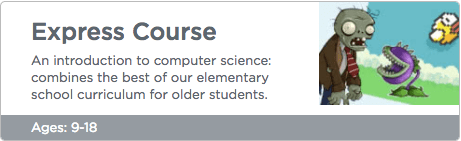
The Express Course combines the concepts taught in our elementary school courses in an accelerated fashion designed for older students.

 Step 1:  Sign into your Code.Org Account (See Instructions Below For Information):

  • SIGN INTO YOUR GOOGLE GMAIL ACCOUNT
  • GO TO CODE.ORG AND CLICK "SIGN IN WITH GOOGLE+"
  • GO TO CODE.ORG/JOIN AND USE CLASS CODE ON BOARD 

Step 2:  Go To Your "Code Studio" and click on EXPRESS COURSE


Step 3:  Begin working on the online levels.  Please use your time to review the UNPLUGGED Levels, but move on to the online material in class.  The Express Course should be completed by the end of the marking period, either in class or as homework.  Please use your time at home to show your family what you are working on.  Your homework assignment is to "TEACH" someone in your family to code!

Good Luck, and Have Fun!

-Mr. S

ACADEMIC/LEARNING OBJECTIVE
Scholars will learn basic computer programming using Code.Org online. Scholars will understand the basic vocabulary used in programming. Scholars will also be able to explain why it is important for everyone to learn to code and how it can provide equity in our society. 

STUDENTS WILL ENTER THE CLASS QUIETLY AND BEGIN WORKING! 

Scholars will sign up for accounts on Code. Org and begin working through the program online. Scholars will complete their Introduction to Programming by emailing a link to the R2-D2 Star Wars Game they made to the instructor for credit. Scholars will then click on the EXPRESS COURSE and begin working on the Stages found there. These stages will review topics and ideas from the Star Wars levels, and allow Scholars to begin to learn about loops, if-then statements, and how math and algorithms are incorporated into programming. 

THANK YOU FOR YOUR ATTENTION AND POSITIVE ATTITUDE TODAY!

Standards Covered In This Class 
PA 3.7.7 & 11 Section C / ISTE 2011
CSTA Tied With Common Core ELA/Math rev. 2011 
Introduction to Computer Programming (Code.Org)

Tuesday, August 21, 2018

Self Reflection (Week 1): How Do You Learn Best?

How Do You Learn Best? Learning Syle / L&R Brain Survey / Executive Functions / Typing Test

Today you will learn about HOW YOU LEARN BEST! Please follow the directions below to complete a series of survey's that will give you some insight on your Learning Styles, your Left/Right Brain Dominance, and your Executive Functions. You may choose to watch the videos associated with each survey (with headphones only), or just complete the surveys themselves. Please fill out the form in class, and complete the ONLINE SURVEY at the end. Make sure to complete both for credit. See you tomorrow!

- Mr. S

Google Drive Individualized Survey Results Form

1. LEARNING STYLES: Many people recognize that each person prefers different learning styles and techniques. Learning styles group common ways that people learn. Everyone has a mix of learning styles. Some people may find that they have a dominant style of learning, with far less use of the other styles. Others may find that they use different styles in different circumstances. There is no right mix. Nor are your styles fixed. You can develop ability in less dominant styles, as well as further develop styles that you already use well.  Please watch the Video (Click Here) and take the Inventory below.  Record you answers on the form and then enter them in the ONLINE SURVEY for credit.

Learning Style Inventory


2. LEFT/RIGHT BRAIN DOMINANCE: According to the theory of left-brain or right-brain dominance, each side of the brain controls different types of thinking. Additionally, people are said to prefer one type of thinking over the other. For example, a person who is "left-brained" is often said to be more logical, analytical, and objective. Watch the video below and take the survey. Record your answers on the paper and then enter them on the ONLINE SURVEY for credit  Watch the Video Here (Click).   Please take the following surveys that will help you to identify your learning style and whether you are left or right brain dominant:


3. EXECUTIVE FUNCTIONS: The Executive Functions are a set of processes that all have to do with managing oneself and one's resources in order to achieve a goal. It is an umbrella term for the neurologically-based skills involving mental control and self-regulation. Watch The Video (Click Here)

Executive Functions Survey

4. TYPING TEST: When you are finished take the typing test (1 minute, any topic you like, and record your Words Per Minute):


When complete, you must also click the Student Survey Form Below and enter your results. Begin working on improving your typing skills right away!


If you want to learn more about how you learn, and find some resources to help you become a better student (in all your classes), check out the link to http://www.educationplanner.org/students/self-assessments/index.shtml for more information!

OBJECTIVE & STUDENT OUTCOMES
  Students will be able to identify their individual Learning Style, Left or Right Brain Dominance, Executive Functions, and be tested on their basic typing skills.  Students will complete the Self-Assessments for each activity and record scores on the EXIT TICKET.  Students will also transfer those scores to the online Google Form to add them to the school spreadsheet for credit.  When complete, students will use spare time to improve individual typing skills.

STUDENTS MUST READ ALL DIRECTIONS ON THIS WEBSITE PRIOR TO STARTING ANY ASSIGNED TASKS.  PLEASE FOLLOW ALL DIRECTIONS AS GIVEN FOR FULL CREDIT!

Students will enter the class quietly and quickly.  Students will be given specific directions and examples of why the information may be valuable to know about Learning Styles, L/R Brain Dominance, Executive Functions, and Typing Speed.  Students will complete all assessments and be able to accurately record scores.  Students will use time wisely and spend any additional time in class, or at home, finishing projects currently due.

Wednesday, August 15, 2018

Welcome To STEAM Enrichment (CCS-515)

STEAM Enrichment
(Science-Technology-Engineering-Art-Math) 
Grades: 7 and 8 Term: Semester I (18-19) 
Prerequisite: Computer Skills & Applications 

Location: Collegium Charter School - 515, Room 352, Exton, PA
Contact: hscribner@ccs.us / Cell: 484-674-5011
Tutorial Time: On Request.
Conference Period: Lunch / Before or After School by Appointment

Course Description:  Students will use prior knowledge and technology skills to complete individual and team exploration projects using various "Maker-Space" style stations. Emphasis on coding, robotics, physics, and other disciplines will be encouraged. Students will be required to work both independently, and on team projects, to show mastery of the investigative process, scientific method, collaborative organization, and the engineering design process. Students will be encouraged to imagine, create, plan, experiment, and revise their projects. All work will require prior approval and supporting documentation (ELA). Projects will be presented, as they are completed, to the class. Each marking period there will be a different, primary focus, and students will be able to self-direct their investigations according to individual interests or current events and topics. Safety, Investigative Processes, and Project-Based Learning will be emphasized.


The information provided below is posted on a public website and scholars are assumed to have read, understand, and follow all protocol and rules listed. Scholars will be bound by these rules and regulations upon entering Collegium Charter School and cannot claim ignorance of the rules as a defense for poor behavior or poor preparation. Any questions or concerns may be directed to me at hscribner@ccs.us. Parents/Guardians are encouraged to review these rules and procedures in full with every Collegium Scholar. Technology equipment, network access, and internet access are for official student use only, and may only be used to access appropriate content as outlined in the Collegium Charter School Policies and Procedures.

IMPORTANT NOTICE: ALL Building 515 Collegium Scholars are REQUIRED to use their Collegium issued Google Applications for Education GMail Address and Log-In Information while accessing CCS Electronic Equipment. 

NO PERSONAL EMAIL ADDRESSES may be used to Access Computers or Networks or Submit Assignments. All communications to and from students, parents, teachers or staff should comply with CCS Policies and Procedures. Please log into POWERSCHOOL to view Scholar grades and assignments.

MR. SCRIBNER’S CLASSROOM RULES

1. Scholars are to enter the classroom calmly and quietly and go immediately to their assigned seats. You are to sit at a 90-degree angle to your desk with your feet on the floor and good posture (spine straight).

2. Scholars are to be in their seats and prepared to work at the beginning of the period. If you are not in your seat with your materials at the beginning of the period you are tardy. Be working on the assignment on the board/website immediately upon entering.

3. Scholars are to show respect at all times and in all manners toward themselves, others, and staff. This includes all verbal and non-verbal forms of communication including body language, facial expression and tone of voice.

4. Scholars are to be on task AT ALL TIMES and work to the best of their ability. This means you are to be working on whatever assignment is given with all of your concentration. If you are finished with an assignment early, you may read or sit quietly and wait for others. Please collaborate and communicate about the topic-at-hand and limit your off-topic conversations while working.

5. There is absolutely no gum, food, drink, candy, make-up, mirrors, electronic devices or any other distraction allowed in my class. Any of these visible will be immediately confiscated and picked up after school. Class time is for learning.

6. Scholars are to be prepared with all papers, pens, pencils, notebooks and any other materials required for class. Do not waste class time to ask to sharpen your pencil, needing paper, throwing out trash, or any other trivial matter. Be a professional student and take care of it quietly or prior to class.

7. You are to raise your hand to get permission to speak during direct instruction time. Raising your hand does not give you permission to speak; it just lets me know you want to speak. You are never to leave your seat without first raising your hand and receiving permission. This requirement is adjusted during group/team or independent work time.

8. I do not argue with Scholars. If you are told to move your seat or given any other direction you are to do so immediately and without complaint. If you feel this or any other direction is unreasonable you may arrange to discuss it with me, your counselor or arrange a parent conference on your own time. Otherwise, follow all directions immediately and without complaining. Class time is for learning.

9. You are to remain in your seat until dismissed by Mr. Scribner (or designated substitute). You are responsible to clean any trash in your area whether it is yours or not. Keep all trash with you until the bell rings and throw it out on your way out of the classroom.

10. I do not give warnings. This is your warning. Any violation of these rules will be met immediately with a 10-minute detention to be served after school and/or other consequences such as copying the rules, parent conference, or meeting with the principal.

12. If you do not come to the 10-minute detention, you will then be required to attend a full 45-minute detention and your parent/guardian will be notified of the issue. Consecutive missed detentions will result in further disciplinary action. No matter what other consequence you receive, you will have to make up the 10-minute detention.

Classroom Information and Procedures

Respect Yourself – Respect Others AT ALL TIMES

Be Prepared with Materials – Be on Time – Be Ready to Learn

Scholars are expected to have achieved a certain level of appropriate behavior given the number of years they have been exposed to classroom rules and procedures. Expected behaviors include but are not limited to showing respect, following instructions, participating in learning, abiding by school policies and classroom procedures. Failure to demonstrate these expected behaviors daily will trigger consequences according to the classroom, school, and district discipline police. THERE WILL BE NO WARNINGS ISSUED!

Beginning and Ending Class – Scholars should be in their seats with materials ready at the start of class. Scholars should respond to the Teacher's queue by listening or engaging in warm up activity (Journal). Scholars should respond to the Teachers queue to end class by saving files, putting up materials, turning in papers, getting the homework assignment, logging off the computer, and being ready to leave class when the bell rings. Scholars should use all allotted class time for learning by being engaged in listening, responding appropriately, or participating in assignments. Beginning and ending class in an efficient manner will allow for class time to be used appropriately.

Bathroom Breaks – Bathroom breaks should be taken during passing period. Scholars should get permission from the teacher and sign out before leaving the classroom for a bathroom break. If you are anywhere else other then the restroom or getting water disciplinary actions will be taken.

Educational Use of Equipment – Computer systems are provided for use by faculty and Scholars for educational purposes only. Games played on the computer for entertainment are not allowed unless specific permission is given. Internet surfing not directly associated with classroom assignments is not allowed. These limitations are in place to make better use of the district bandwidth and to provide a better educational learning environment for students.

Disks, Memory Drives, Cell Phones and CD’s – Scholars may bring disks, USB memory drives, and/or CD’s to school for use in computer systems with teacher approval. Any memory device/disk is not considered private and is subject to examination, search, and must be turned over to teacher upon request. Any memory device/disk inspected and found to have inappropriate material / unauthorized material is subject to confiscation and will result in demerits and other disciplinary action. Also, Scholars may not download software onto district computer systems without specific permission.

NO SCHOLAR MAY CREATE OR USE AN OUTSIDE/PRIVATE NETWORK AT ANY TIME WHILE IN SCHOOL. SCHOLARS CAUGHT CREATING A WIFI OR ACCESS POINT WITH CELLPHONES OR OTHER UNAUTHORIZED DEVICE WILL HAVE THAT DEVICE IMMEDIATELY CONFISCATED AND WILL BE SUBJECT TO ADDITIONAL DISCIPLINARY ACTION. NO UNAUTHORIZED DEVICE WILL BE CONNECTED TO THE SCHOOL NETWORK WITHOUT SPECIFIC PERMISSION. NO UNAUTHORIZED, ILLEGAL, OR INAPPROPRIATE CONTENT MAY BE ACCESSED PRIVATELY ON PERSONAL TECHNOLOGY EQUIPMENT WHILE ON SCHOOL PROPERTY.


Operating System Configuration – Adding or deleting icons to the desktop is prohibited. Changing the background on the monitor or screen saver is prohibited. Scholars should not make any changes to the configuration of the district computer systems.

No Cheating – Scholars should not share files in the attempt to cheat on assignments. File sharing should only be done if the class assignment directs a Scholars to do so. Scholars should not print multiple copies of a file in an attempt to allow others to cheat from their original works. Scholars should show integrity by not cheating or by creating an environment where others may cheat. Cheating may cause the Scholar(s) loss of some or the entire grade.

Listening – Scholars should listen while the teacher is giving directions or giving information. Scholars should attend to the directions and follow them the first time they are given. This classroom environment thrives on the importance of teamwork, leadership, integrity, honesty, work habits, and organizational skills. The Scholar is expected to use teamwork to solve problems and questions first before asking for assistance

Appropriate Language – Scholars should use appropriate language when conversing with the teacher and when conversing with other students. Slander, cursing, racial remarks, and remarks made that are demeaning to specific groups of people are inappropriate and should not be used. Scholars should demonstrate respect for the teacher, themselves, and for others in their speech and in their tone.

NO FOOD, DRINKS, GUM OR CANDY – No food or drinks are allowed in the classroom unless otherwise approved by the teacher.

Absent or Makeup Work – It is the responsibility of the Scholar to make arrangements with the teacher for work missed when absent due to illness, doctor’s appointments, field trips, school sponsored event, etc.

Radio’s, Music Players, Games, Head Phones, Cell Phones, and other electronic devices – Headphones should not be worn during class unless directed by the teacher for a specific assignment or individual work. The school policy on the use of cell phones will be strictly enforced. Personal music CD’s and DVD’s should not be brought to class and played in the CD/DVD ROM drives. These devices should be kept out of sight and not be used in the classroom. Devices that are confiscated will be taken to the Principal’s office.

Criminal Activity – Hacking and sabotage are criminal activities covered by federal and state laws. Damage to data, equipment, or functionality of software programs and operating systems are severe offenses that may be subject to substantial fines and penalties under law. Removal of hardware, equipment, software and supplies, and other properties from the classroom are considered theft. Browsing unauthorized files or district content through the school provided network is a federal crime. Scholars should not try to guess passwords to hack into teacher accounts or the accounts of others. Scholars should only access areas they are authorized to use and have been given rights to access. Scholars should use the network for academic purposes only. Network resources should not be wasted including bandwidth and printer usage. All FERPA, state and local access restrictions on content will be strictly adhered too.

Monday, May 7, 2018

Design-An-App Project - U1L09 CS Discoveries MP4 S2 17-18

Overview

To conclude their study of the problem solving process and the input/output/store/process model of a computer, students will propose an app designed to solve a real world problem. This project will be completed across multiple days and will result in students creating a poster highlighting the features of their app that they will present to their classmates. A project guide provides step by step instructions for students and helps them organize their thoughts. The project is designed to be completed in pairs though it can be completed individually.

Purpose

This project combines the two major themes of Unit 1, problem solving, and the input-output-store-process model of a computer. This project ties both themes to a broader goal of identifying real world problems and finding ways to use technology to help solve them. Students collaborate in the creation of their app and also take part in a structured peer review process that they will see many more times throughout the course. This project should be a fun and creative experience as well, and gives students a chance to tie the field of computer science to their own interests and ambitions.

Agenda

CSTA K-12 Computer Science Standards


AP - Algorithms & Programming
  • 2-AP-10 - Use flowcharts and/or pseudocode to address complex problems as algorithms.
  • 2-AP-15 - Seek and incorporate feedback from team members and users to refine a solution that meets user needs.
  • 2-AP-18 - Distribute tasks and maintain a project timeline when collaboratively developing computational artifacts.
CS - Computing Systems
  • 2-CS-02 - Design projects that combine hardware and software components to collect and exchange data.
RUBRIC: Where did you see Creativity, Collaboration, Communication, Problem-Solving,
and Persistence as you created your new Application?  Be prepared to show these in your
presentation as a self-critique with the class.  Use the Rubric Criteria below to refine your
ideas, and the final project prior to the presentation.
Criteria
Yes/No
Comments
The problem is well-defined, including a target audience, details of the problem, and how to tell it has been solved.


The app is clearly described including what it does and why someone would use it.


The outputs of the app are clearly described and could be used to address the problem.


The inputs of the app could be used to produce the outputs.


The way that the information is processed to produce the output is clearly described.


Stored information is listed and is appropriate for the functionality of the app.


The peer review provides useful and constructive feedback.


Peer review feedback has clearly been incorporated into the final version of the project.


The final presentation includes all information required by the project guide.


If you are interested in licensing Code.org materials for commercial purposes, contact us.

Thursday, May 3, 2018

NGPF 2018 PAYBACK Challenge MP4 S2 17-18

Featured in the New York Times, our paying-for-college game PAYBACK has been played by over 150,000 students in just 3 months since launch! Teachers are saying, “It was an amazing game. All of my students were so highly engaged that it was time to go to lunch and none of them wanted to leave," AND "They loved that the game made them confront the money challenges of college but also helped them build the skills to survive and thrive.”  

Here is how to play (Yes, This is a class assignment as well):


Students Play PAYBACK
Students Write Short Essay (GOOGLE DOCUMENT)
  • Use this Essay Template to collect 250 word essays that respond to this writing prompt: 
    "How could you use the online game, PAYBACK, to have a conversation with your parent/guardian about paying for college?"
  • CRITERIA: Essays will be evaluated by NGPF staff based on the following:

    • Indicates an understanding of key concepts learned by playing the game PAYBACK.
    • Addresses concerns their parents/guardians may have about this sensitive topic.
    • Takes a creative approach to engaging parents/guardians in a conversation about college.
MAKE SURE YOU USE THE R.A.C.E.S METHOD TO ANSWER THE WRITING PROMPT:
R-Repeat The Question, A-Answer The Question, C-Cite Your Evidence/Examples,

E-Explain Your Evidence/Examples, S-Summarize Your Thought (Wrap-Up)

SHARE Your Essay With Mr. Scribner (hscribner@ccs.us) For Credit!

ACADEMIC/LEARNING OBJECTIVE

Scholars will use the online simulation "PAYBACK" to begin learning about the basics of how the choices they make for higher education can affect them financially.  This simulation, and associated standards for this assignment, will help them meet PA CEW Academic Standards, and also help students hone their skills for writing and information retention after participating in the simulation.  Students should reflect on this simulation, and use it as a prompt for conversation at home about the real costs associated with higher education, careers, and their future choices.

SCHOLARS WILL ENTER THE CLASS QUIETLY AND BEGIN WORKING!

Scholars will follow all directions log into their Google Account and then begin working on the NexGen Personal Finance Simulator (PAYBACK).  Scholars will spend 15-20 minutes completing the simulation.  When complete, scholars will download a copy of their final worksheet.  This image will be uploaded to their "CEW Evidence 515" folder in their Google Drive and SHARED, for credit, 

with Mr. Scribner (hscribner@ccs.us).  Scholars will then create a GOOGLE DOCUMENT titled 
"(LastName) PAYBACK P? S2" and write a 250-word essay using the prompt listed above.  
Scholars may use the EXAMPLE for reference, but must write this essay in their own words.
The essay must be SHARED with Mr. Scribner (hscribner@ccs.us) for credit as well.

Tuesday, May 1, 2018

SPENT: A NEXTGEN Personal Finance Simulation Project (Middle School) CCS S2 17-18

If you do not finish all assigned tasks before the end of the class, you must complete them on your own time.  If you are finished early you may work on anything previous assignment you owe for class , khan academy, typing.com (lessons only), or work for another class.


The Inquiry below is intended to help introduce students to the decisions people have to make everyday when they are living paycheck to paycheck. The Supplemental Resources are provided only to support the Inquiry, but the Inquiry is a comprehensive lesson on its own.

In this Inquiry, students will use a simulator to roleplay an adult trying to make ends meet when they don’t have a surplus of finances. In the process, students will learn about how their decisions impact the people around them and their ability to pay for the necessities each month as well as the pressures and decisions that many people face in this situation. Through this Inquiry, they will learn to use wise spending and saving habits, empathize with those dealing with the living wage, and assess the options people have when they are having financial difficulties.

Make Sure You Click On The ROLEPLAY Inquiry Simulation Link Below, Click FILE and MAKE A COPY, and SHARE it with Mr. Scribner (hscribner@ccs.us) for credit!

Learning Objectives:
  • Students will experience the circumstances of budgeting on the living wage.
  • Students will reflect on the impact of the decisions they made in order to learn from them for the future.
  • Students will explore the difficulties of living paycheck to paycheck and learn from the options they face as well as mistakes they make.
  • Students SHOULD Play the Game a SECOND Time after recording their answers to more fully understand some of the alternate choices in the simulation.

ACTIVITY:
Complete The Google Document Worksheet As You Complete The Online Simulation. Please Answer All Questions In COMPLETE SENTENCES! Try to use the R.A.C.E Response Method (Repeat the question, Answer the question, Cite your evidence/examples, Explain your evidence/examples) Make sure you SHARE the Google Document with Mr. Scribner (hscribner@ccs.us) for credit.

Standards:

Alignment to Anchor Standards for Reading:
CCSS.ELA-LITERACY.CCRA.R.1
Read closely to determine what the text says explicitly and to make logical inferences from it.
CCSS.ELA-LITERACY.CCRA.R.7
Integrate and evaluate content presented in diverse media and formats, including visually and quantitatively, as well as in words..

Alignment to Jump$tart Spending and Saving Standards:
1b: Analyze how spending and saving behavior can affect overall well-being.
1c: Discuss the components of a personal spending plan, including income, planned saving, and expenses.  
Alignment to Jump$tart Risk Management and Insurance Standards:
1b: Predict the consequences of accepting risk with insufficient or no insurance.
1c: Illustrate how to use insurance to share the risk of financial loss.
Supplemental Resources:
*Note: These supplemental resources are a work in progress and will be finalized soon!

Video: Just In Case
This video from Cha-Ching is a fun way for students to explore why they should think about having an emergency fund or getting insurance in case issues they can’t plan for arise!
Suggested Follow Up Questions: 1) What are some examples of reasons you might need an emergency fund or insurance from the video? 2) Why do you think people say “plan for the worst” based on what you learned from the video?

Interactive: PlayInsure
This game allows students to learn about Auto Insurance and Homeowner's Insurance by letting them roleplay as an insured party  that encounters many different scenarios. This allows students to see the different plan options, why insurance costs a certain amount, and when it is useful. Since the game is created by the Texas Department of Insurance, it focuses on that state, but it is a great learning tool for students regardless of location.
  • Teacher Tip: Both the Auto Insurance and Homeowner’s Insurance games are very long (30 days) so they are quite repetitive. You might want to tell the students to play for something like 10-15 days!

Video: Payday Loan Advertisement
This Payday loan advertisement tries to sell people payday loans. In the process, it outlines why payday loans exist and why someone living paycheck to paycheck might feel the need to use one. Students might not understand what the big issue with payday loans is given the tone of the video, so discussion afterwards will help them understand.
Suggested Follow Up Questions: 1) How are payday loans different from borrowing money for something like college or a house? 2) Why might someone be searching for a loan like this? 3) What are the 2 qualifications needed to get a payday loan? Why do you think the companies don’t require more info from the borrower? 4) What do you think are the downsides of taking out a payday loan?

Comprehension Questions: Spent Kahoot
This kahoot is a fun way to assess students on their understanding of the terms and concepts they learned in this lesson.
This project taken directly from https://www.ngpf.org/courses/middle-school/

CSED Week 2018 Padlet

Made with Padlet